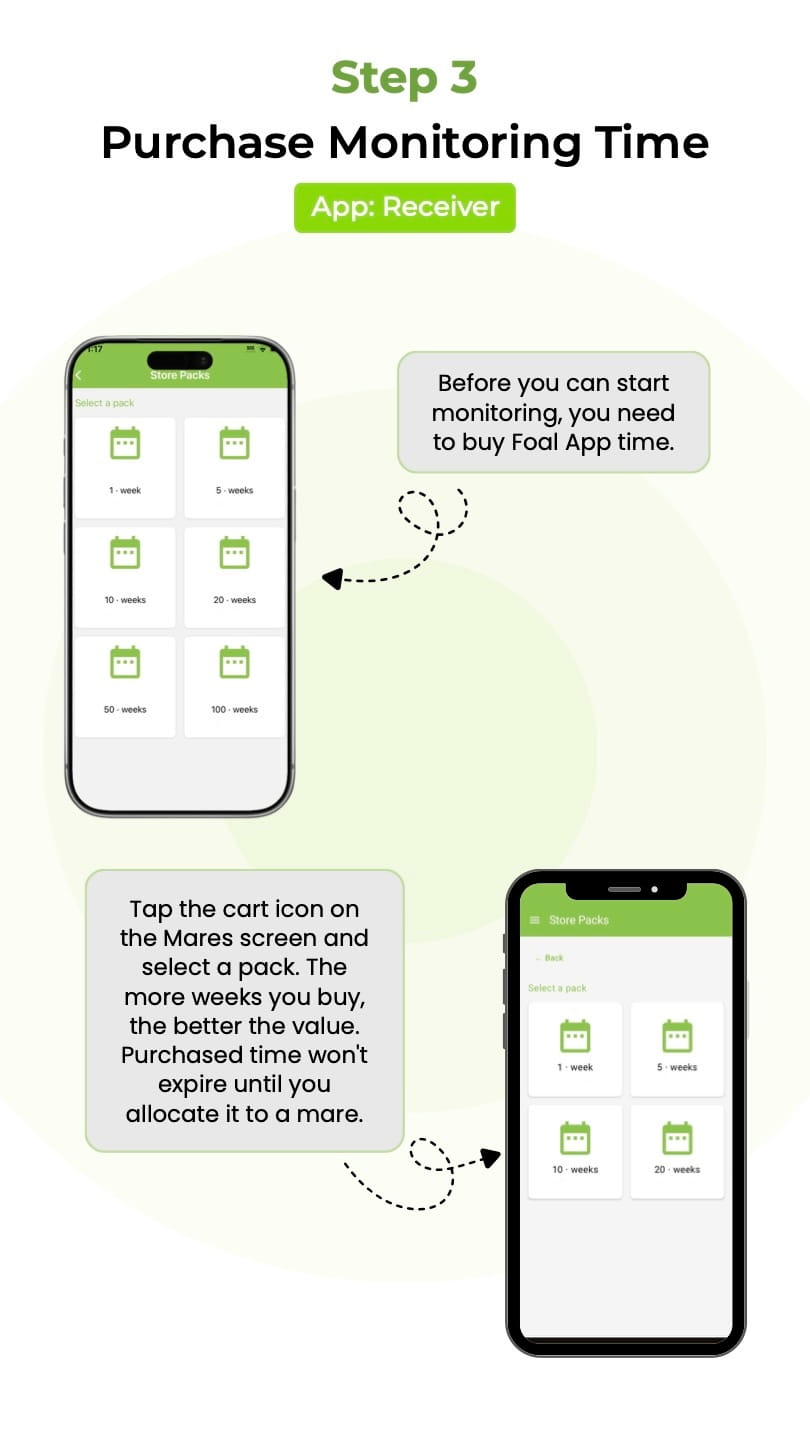
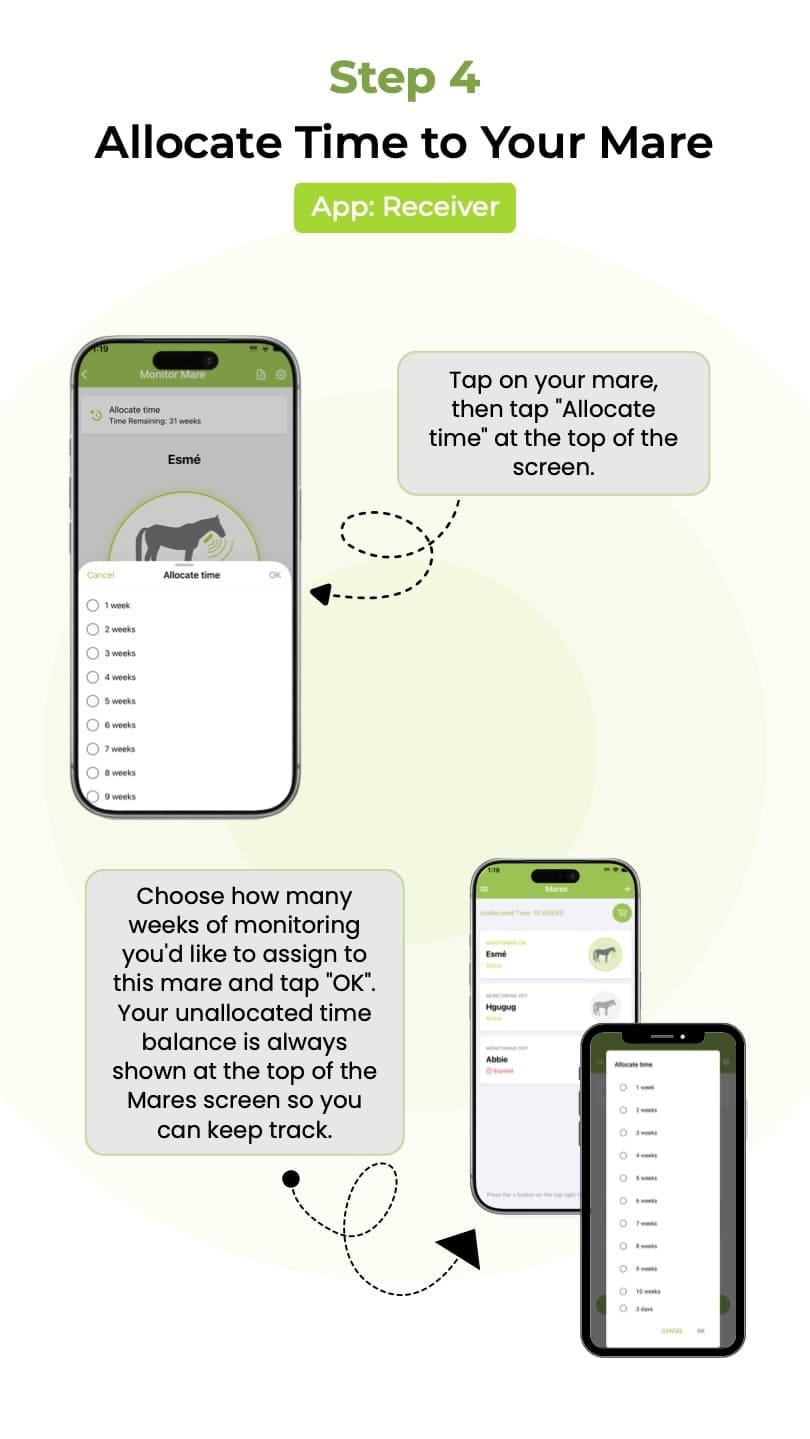
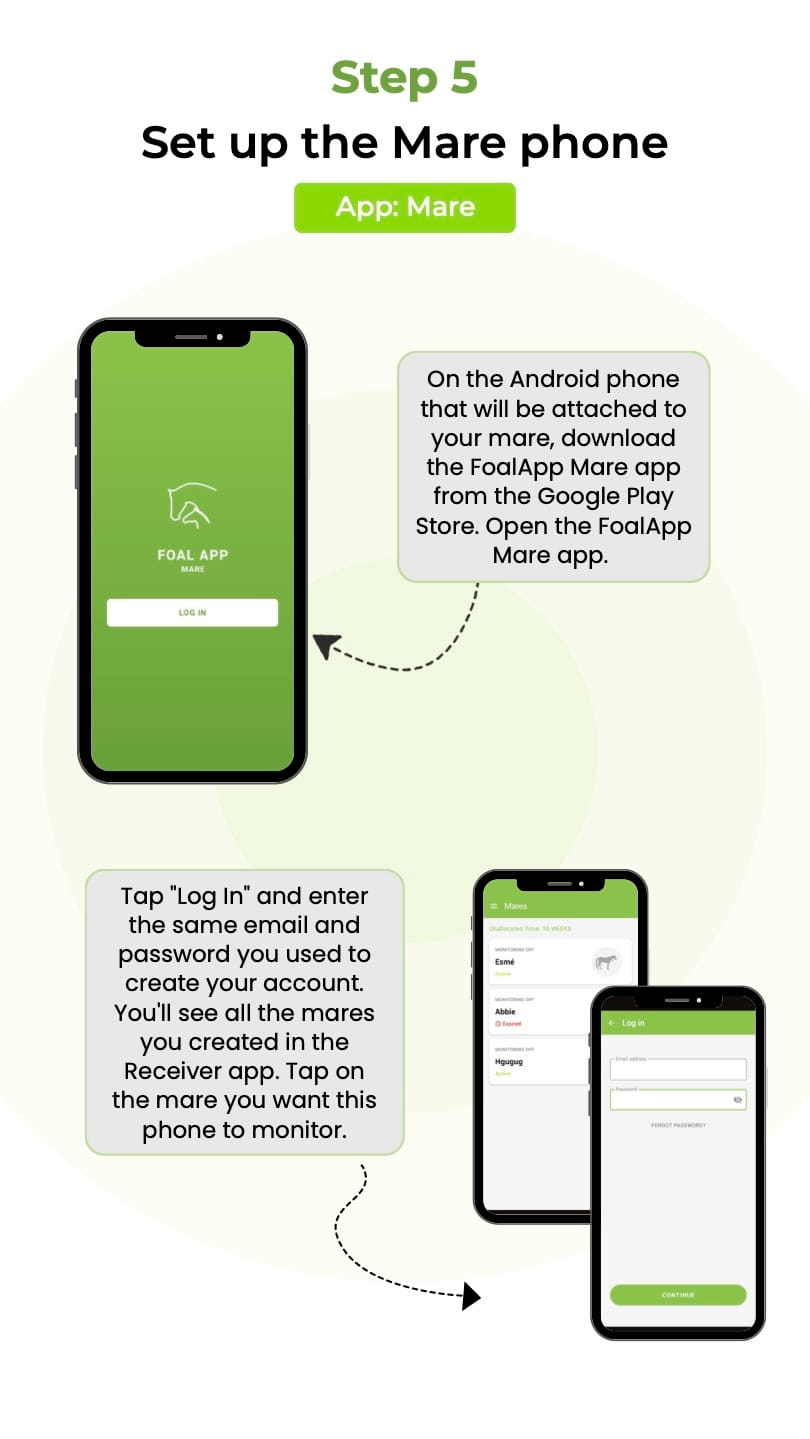
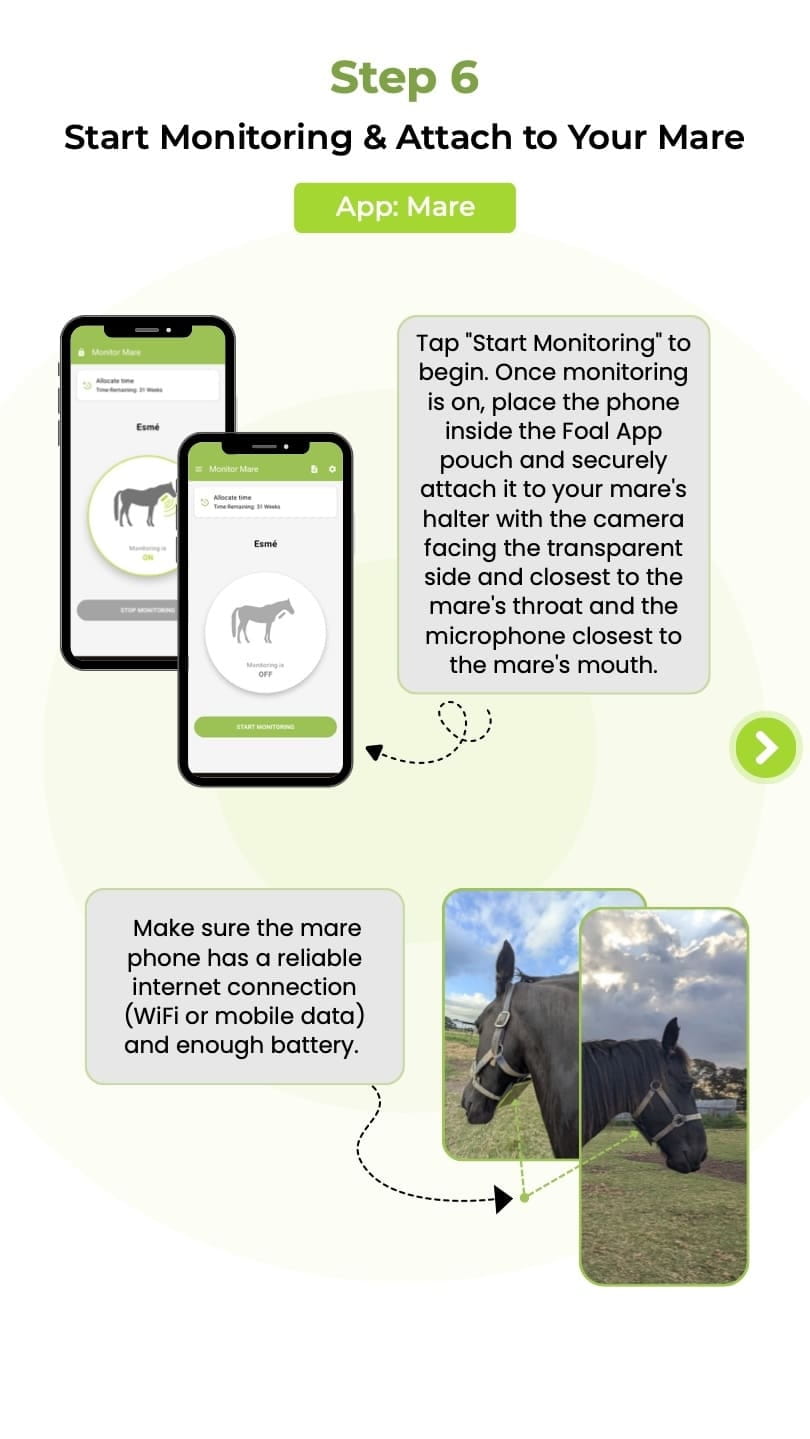
How It Works for iPhone Users

IMPORTANT: You Need TWO Different Apps

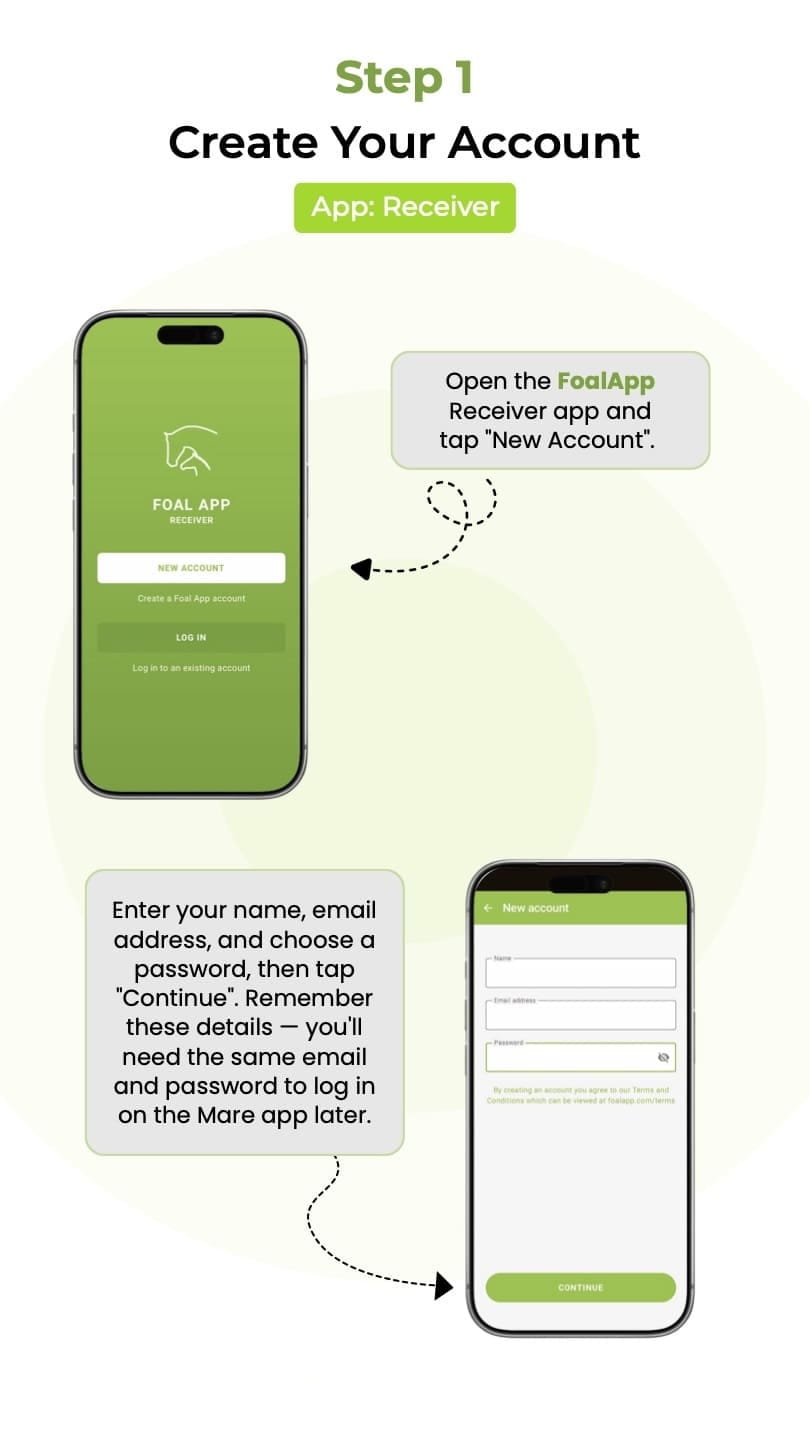
Download "Foal App" from the Apple App Store on your iPhone to receive alerts.

Download "FoalApp Mare" from the Google Play Store on the Android phone that attaches to your mare.

Phone #1: Your iPhone

Receiver Only

Receives alerts and live video from mare phone

Phone #2: Mare Phone

MUST BE ANDROID

Android 9 or newer

Attaches to mare's halter and monitors movements

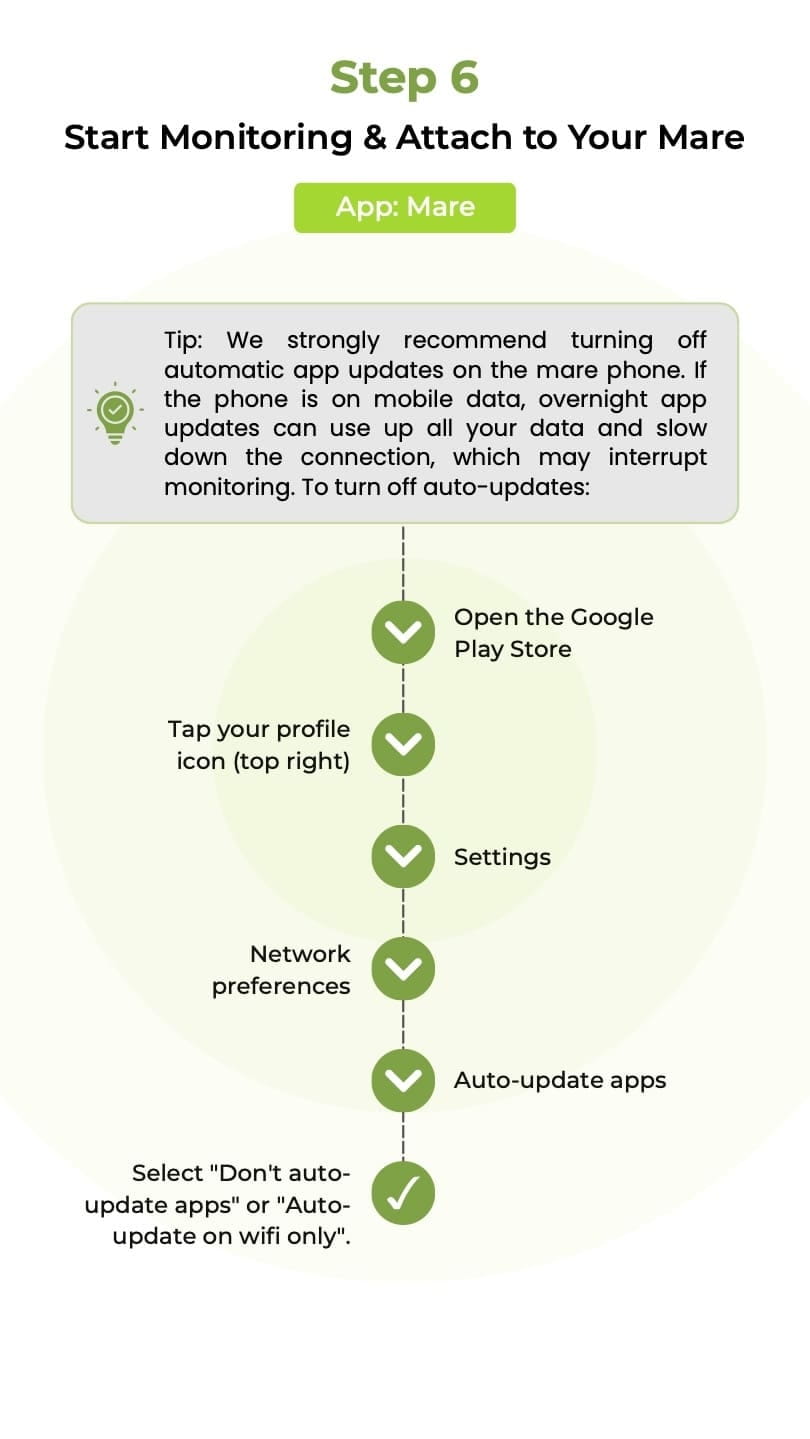
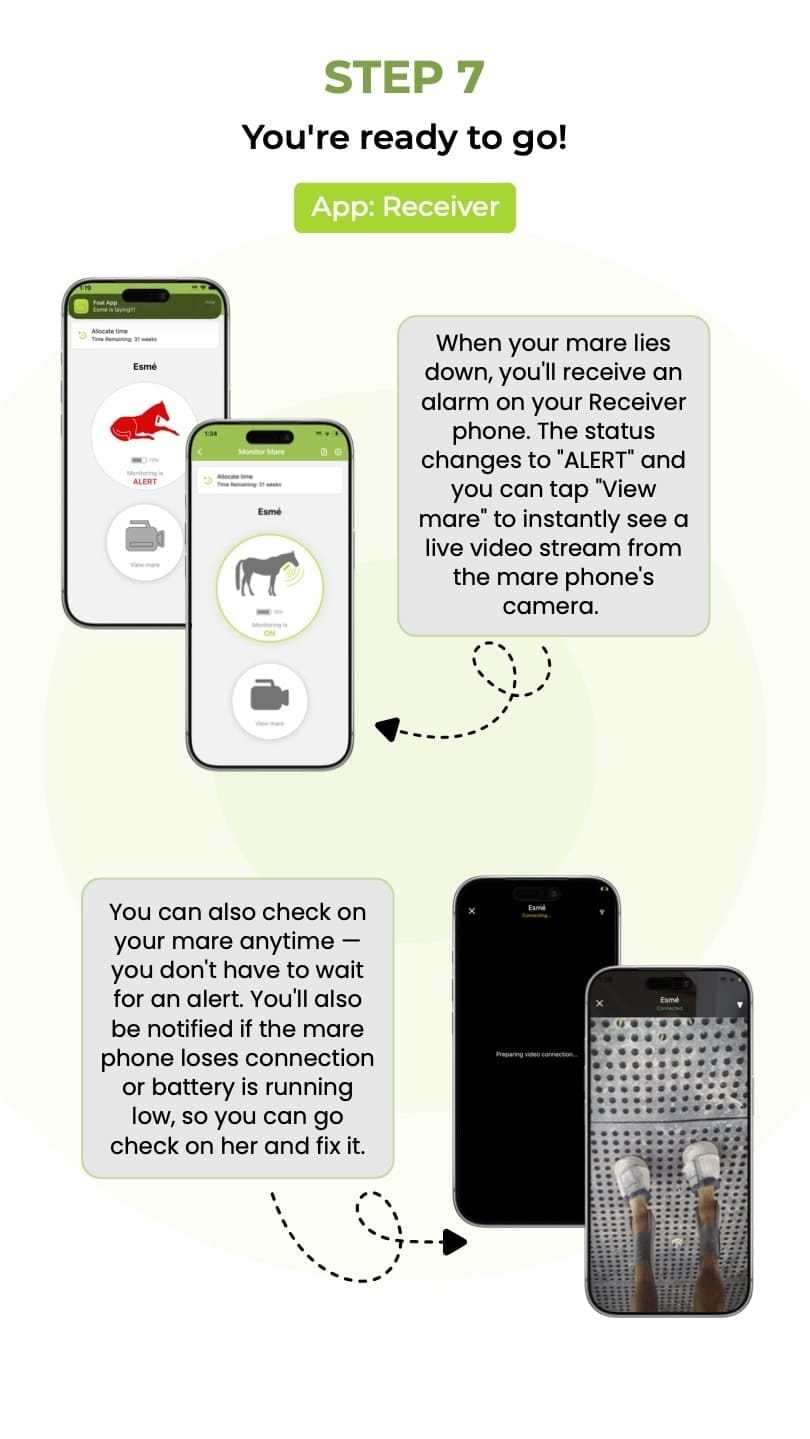
How it works: The Android phone monitors your mare's movements and automatically sends alerts to your iPhone when she lies down. When you receive an alert, you can immediately view the live video to check on your mare.

Setting up Foal App with Your iPhone

1

Get an Android Phone

Mare Monitoring Phone

  • Must be Android 9 or newer
  • Can be an old/spare phone
  • Needs WiFi or mobile data

This phone will attach to your mare's halter

2

Download the Apps
Mare App Icon

On Android Phone:

FoalApp Mare

Receiver App Icon

On Your iPhone:

Foal App

3

Buy the Pouch & Attach to Mare

Pouch attached to mare

Secure the Android phone in the pouch and attach to your mare's halter

BUY POUCH NOW
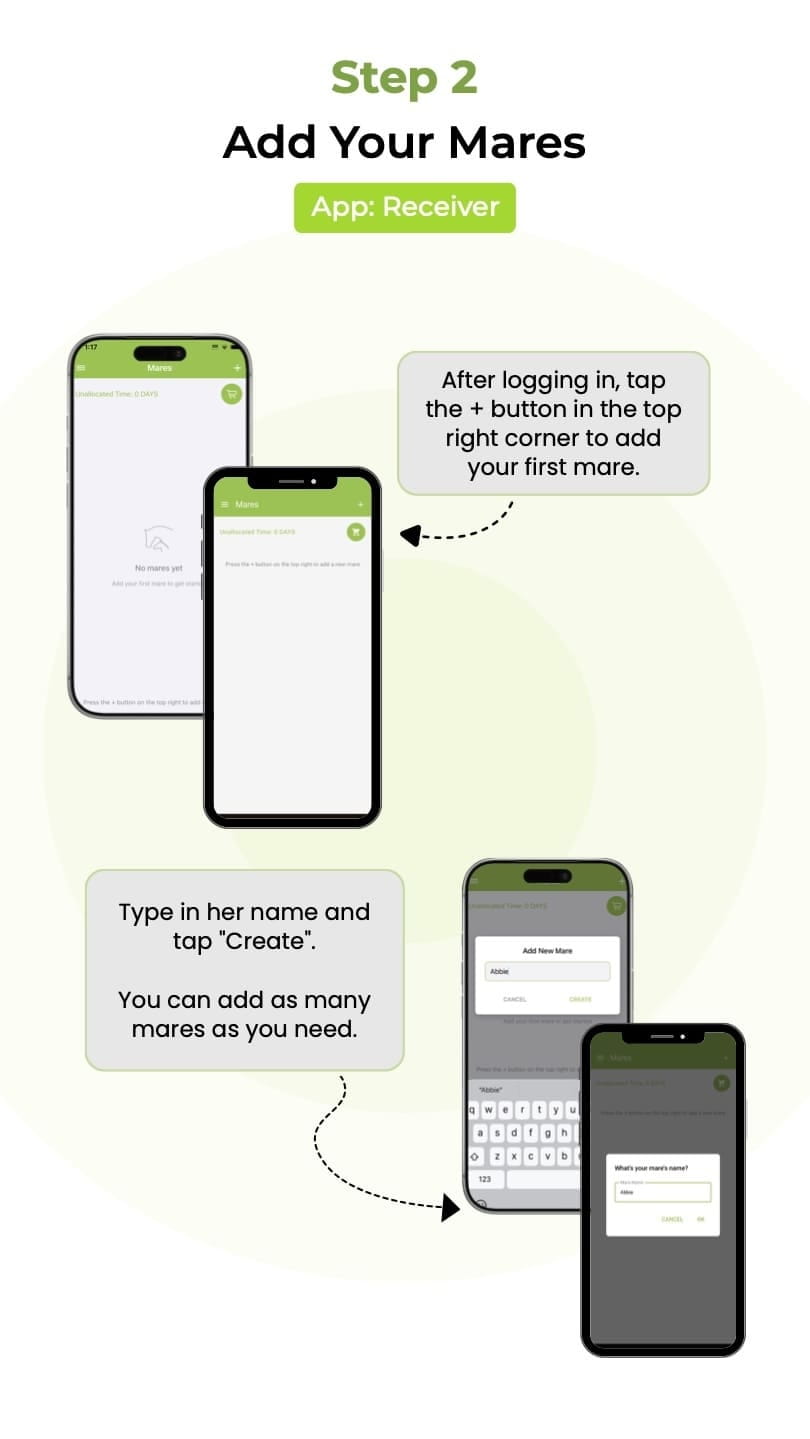
How to use Foal App

How to use Foal App

What You Can Do with Your iPhone

Monitor Multiple Foaling Mares

Monitor multiple mares on your iPhone

Check mare foaling

Check on your mare at anytime

mare lays down alert

Receive alerts when your mare lays down

mare foaling live video stream

Live video streaming from your mare

Foal App is simple and easy to use

Simple and easy to use interface

Keep track of what your mare has been up to

Keep track of your mare's activity log

Common Questions from iPhone Users

Can I use my iPhone as the mare phone?

No. The mare monitoring phone MUST be an Android device (Android 9 or newer). iPhones cannot be used as the mare phone because the FoalApp Mare monitoring app is only available on Android.

What if I don't have an Android phone?

You'll need to get an Android phone for the mare monitoring. It can be an older or spare Android device as long as it runs Android 9 or newer and has WiFi or mobile data connectivity.

Can multiple people with iPhones receive alerts?

Yes! Multiple people can download the FoalApp receiver on their iPhones and all receive alerts from the same mare.

Do I need two phone numbers/SIM cards?

The Android mare phone needs either WiFi or mobile data to send alerts. If using mobile data, it will need a SIM card. The iPhone uses your existing phone service.